Daily number, targets and streaks
Expenity does a little thinking for you. These helpers turn your records into something you can act on today.
You can spend today#
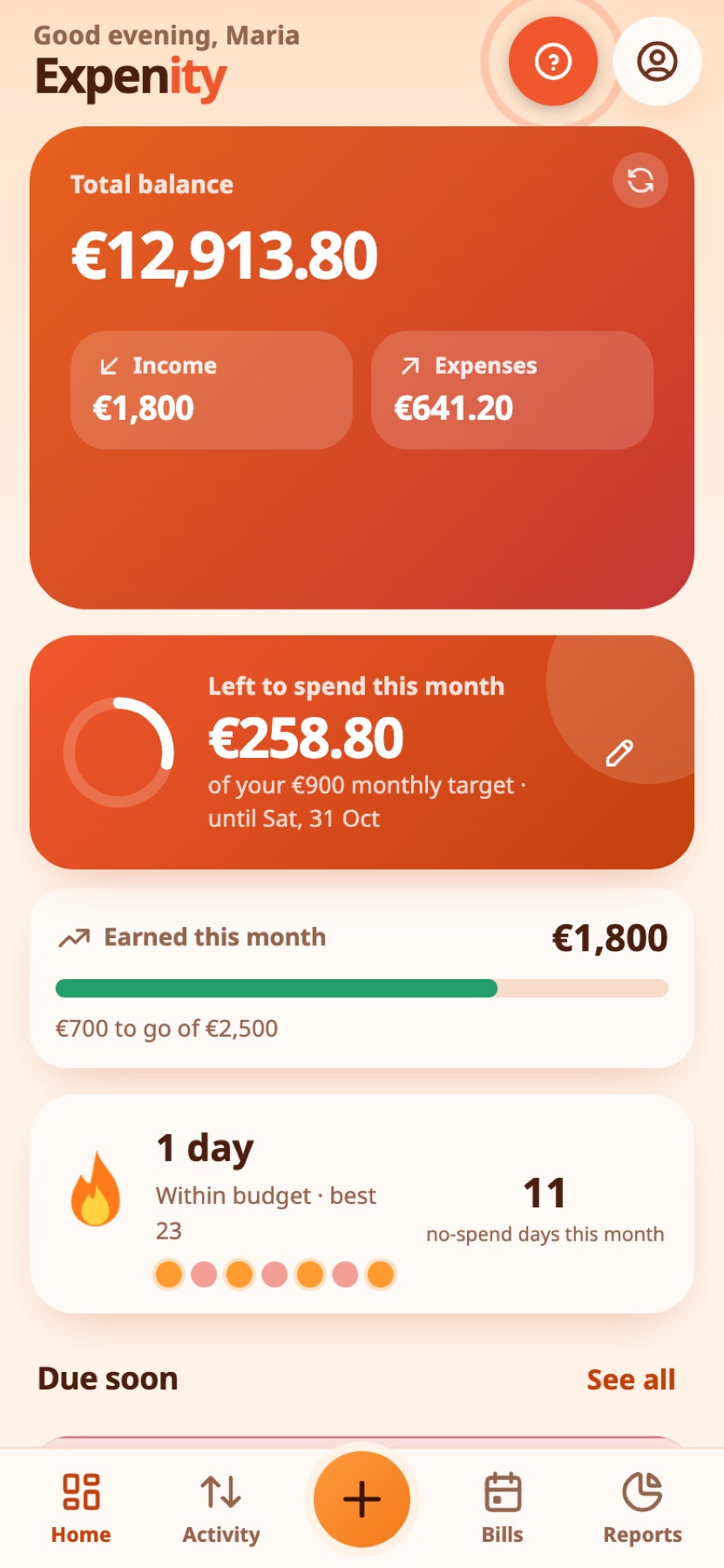
The daily number card on Home answers one question: how much can I spend today without worrying? It starts from your balance, subtracts the bills due until your next income, your budgets and any reserve you have set, then spreads what is left over the days to come. The ring empties as you spend. Tap the arrow for the full breakdown, or open the Safe to spend details.
Real-life example
On the 20th, Maria opens Home and sees €18 she can safely spend today, after her bills and budgets are taken into account.
Set your own targets#
The automatic figure is a suggestion. Tap the pencil on the card to set your own.
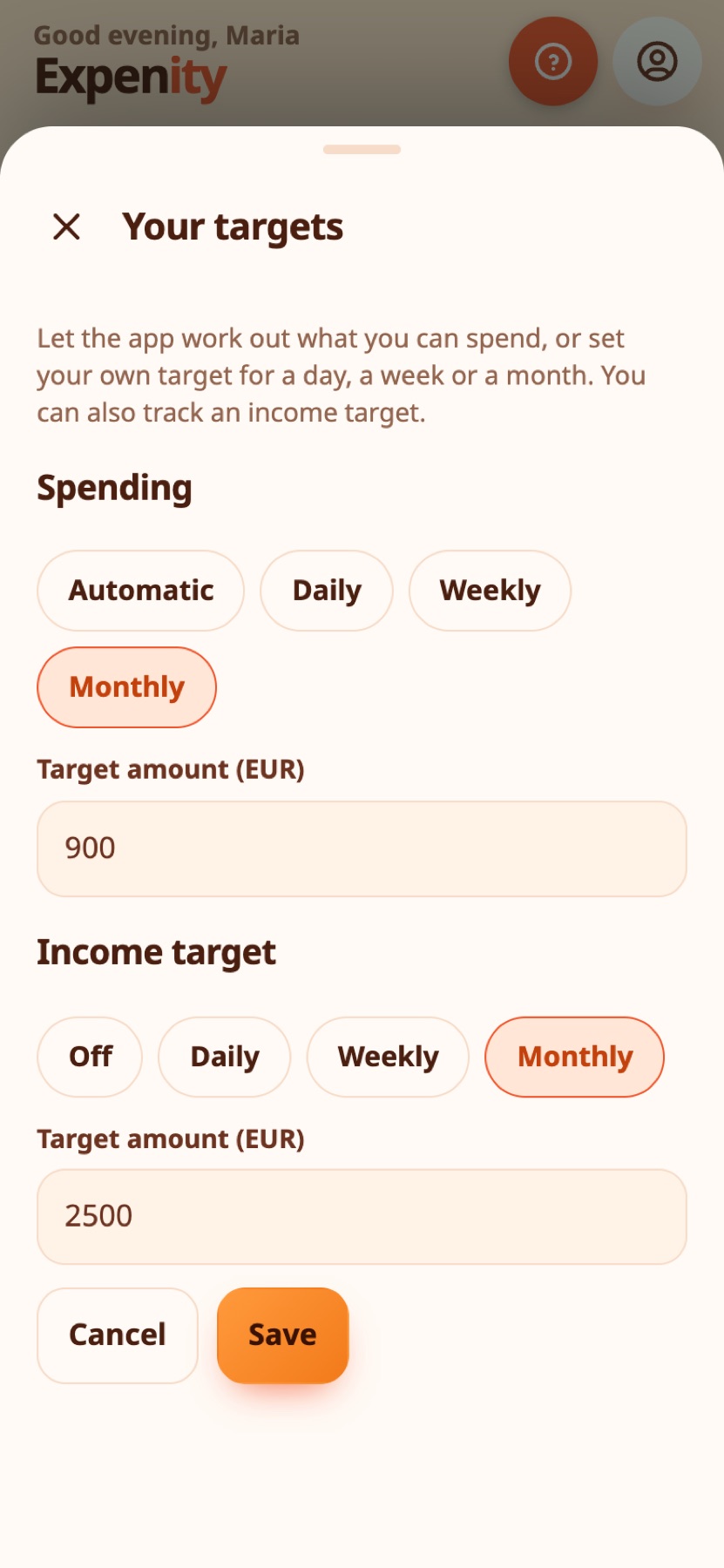
- Spending: keep Automatic, or choose a Daily, Weekly or Monthly target and an amount. The card then shows what is left to spend in that period, or how far over you are. Weeks run Monday to Sunday.
- Income target: optional. Choose daily, weekly or monthly and an amount, and a progress bar shows what you have earned so far, with "Target reached" when you get there.
Targets are saved with your settings, so they follow you to your other devices. They count expenses and income in your main currency, and money moved to goals is not counted as spending.
Real-life example
Nikos sets a €15 daily target. Today he is €3 over, and the card shows exactly how far.
Streaks#
The flame counts consecutive days within budget. If you have no budgets, it counts days you spent nothing. The seven dots show the last week, and Expenity keeps your best streak and the number of no-spend days this month. Overspend once and the flame resets: start again tomorrow.
Real-life example
Eleni stays within her daily budget nine days in a row and watches her flame grow. Overspending once resets it, so she starts again tomorrow.
Duplicate guard#
Before saving an expense or income, Expenity checks the last few days for an identical entry: same name, amount and wallet. If it finds one, it pauses and shows you what it found, with the date. Choose Add anyway if it is real, or cancel.
Real-life example
On a slow connection Petros taps Save twice. The duplicate guard stops him and shows the identical entry from a minute ago.
Price-change alerts#
When you pay a bill and the amount is higher than the previous payment, Expenity tells you by how much, and a small red chip such as +12% stays on the bill so you can review it. It compares payments you recorded, so variable bills such as electricity are exactly where it helps.
Real-life example
The internet bill goes from €25 to €29. Anna sees a red chip and a note on the bill, and calls her provider.
Switching them on or off#
The daily number, duplicate guard and price alerts are part of Pro, and streaks are part of Advanced. See Features and plans.
Still stuck? Check the FAQ, or ask on GitHub.