eFriend
eFriend is a small robot who lives inside Expenity. You tell it what you want to buy, it looks at your wallets, income, bills and the way you really spend, and tells you, kindly and with a joke, whether you can afford it and when. It is part of the Advanced plan and can be switched on or off in More → Make it yours → Features.
🔒 Everything eFriend works out is calculated on your device. Your numbers are not sent anywhere to be analysed.
Ask eFriend: the chat#
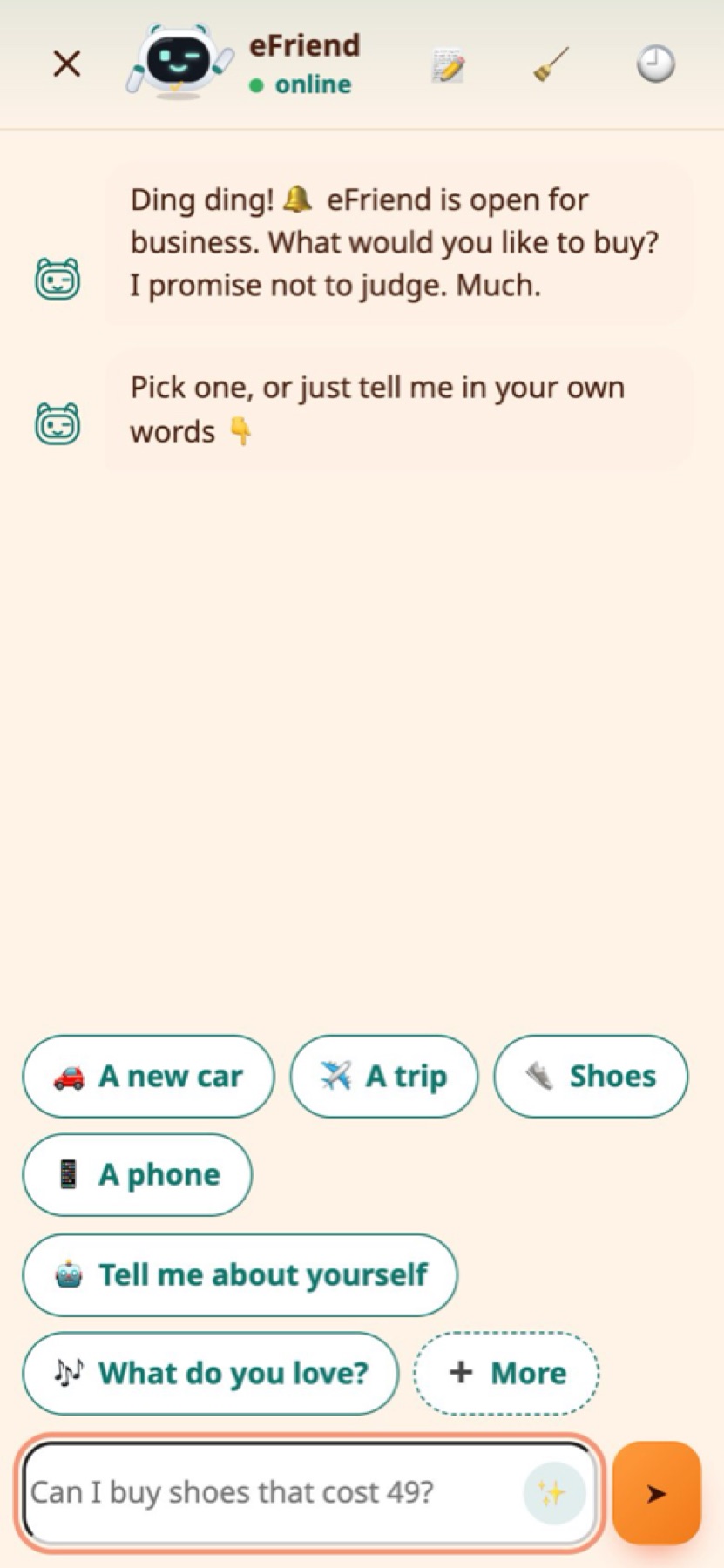
Tap 💬 Ask on Home, on the eFriend page, or open the + menu and choose Ask eFriend. A full-page chat opens, and eFriend interviews you:
- 🛍️ What do you want to buy?
- 💶 How much does it cost?
- ⏰ How soon do you need it: right away, in a few weeks, or no rush?
You can type it all in one sentence, for example "I want to buy a new watch for my girlfriend, 450, in 2 weeks". eFriend finds the item, the price, the person you are buying it for and the timing, and only asks about what is missing. Tap one of the quick answers if you prefer not to type.
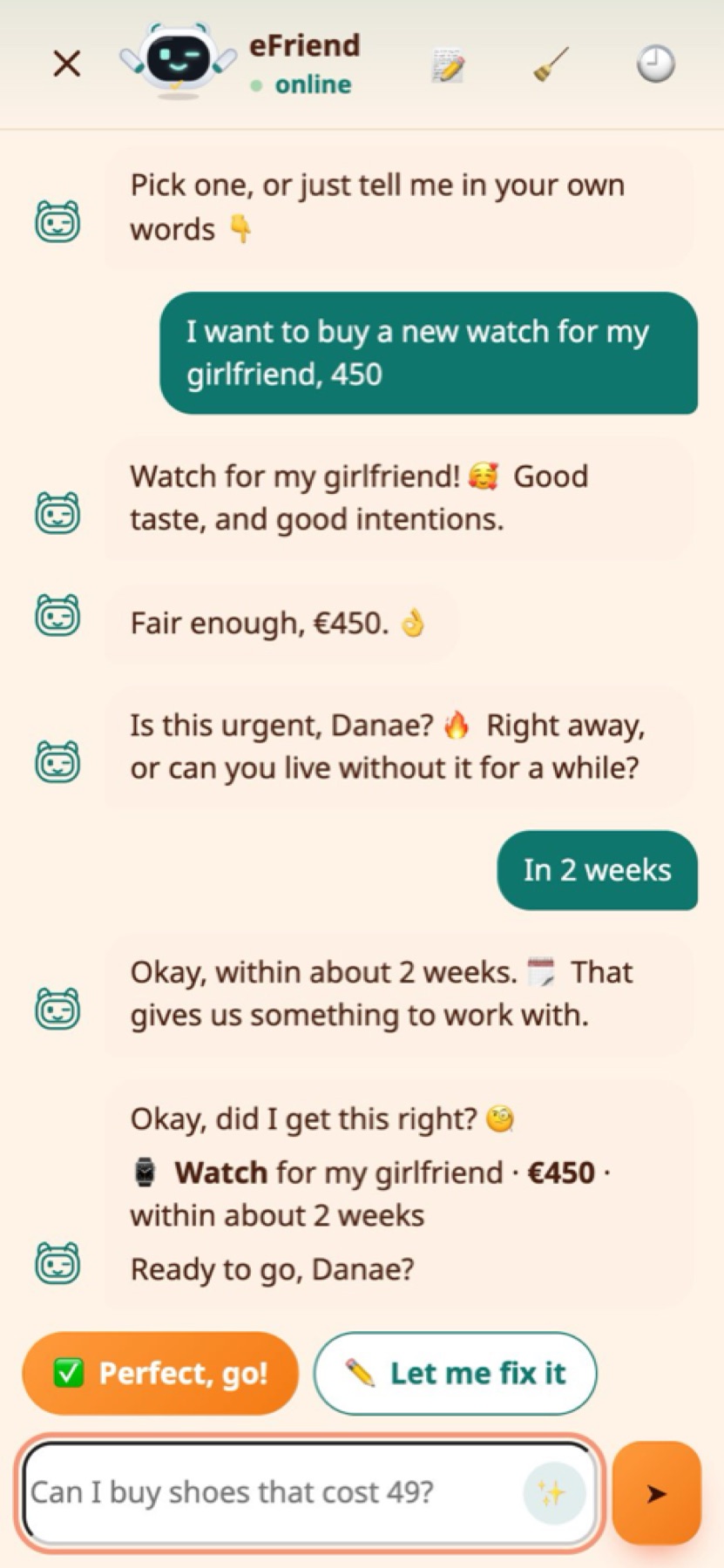
Before it starts, eFriend says it back and asks if it got it right. Wrong? Just type the fix in plain words, like "no, it is 1250" or "in 3 weeks", or tap ✏️ Let me fix it.
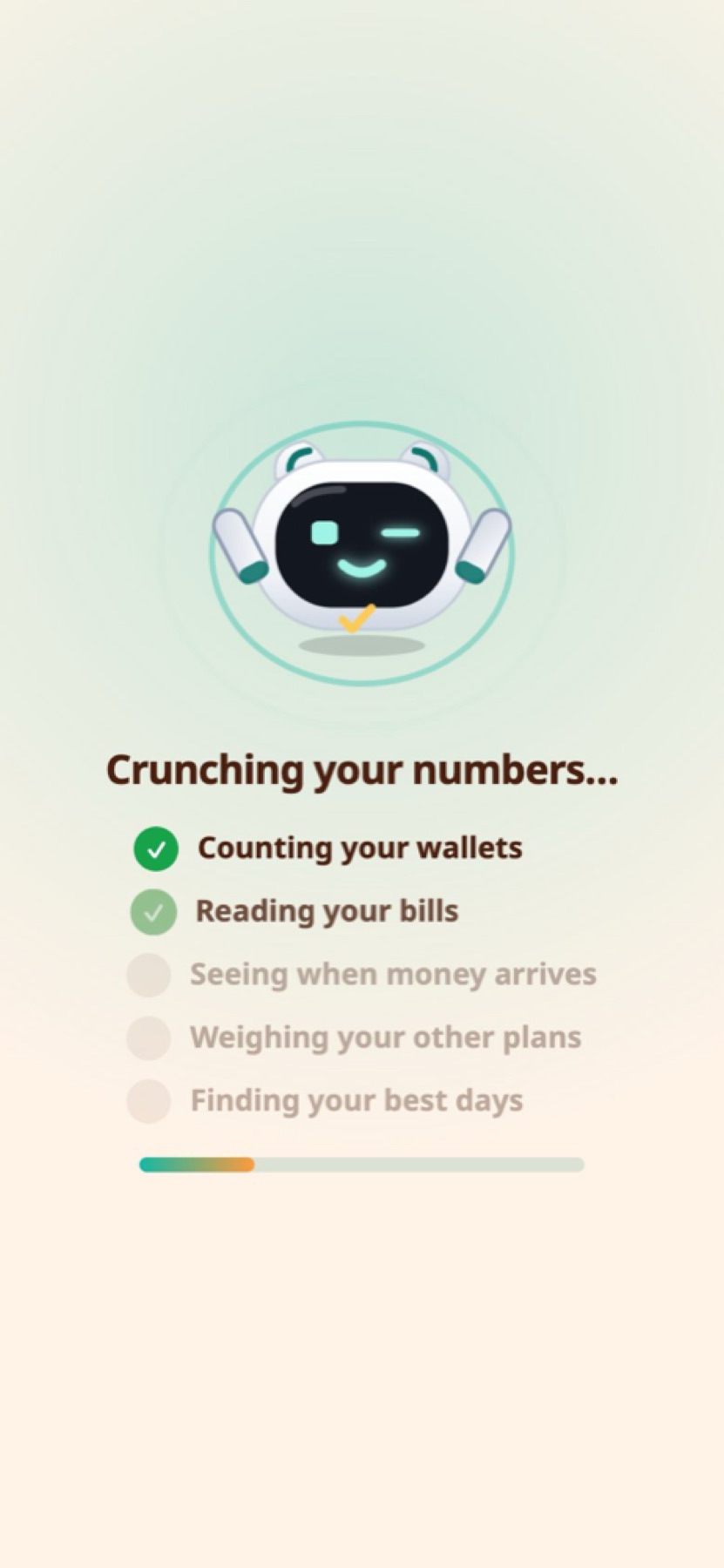
Then eFriend "thinks" for a few seconds and brings you back to the app with the full picture.
The answer#
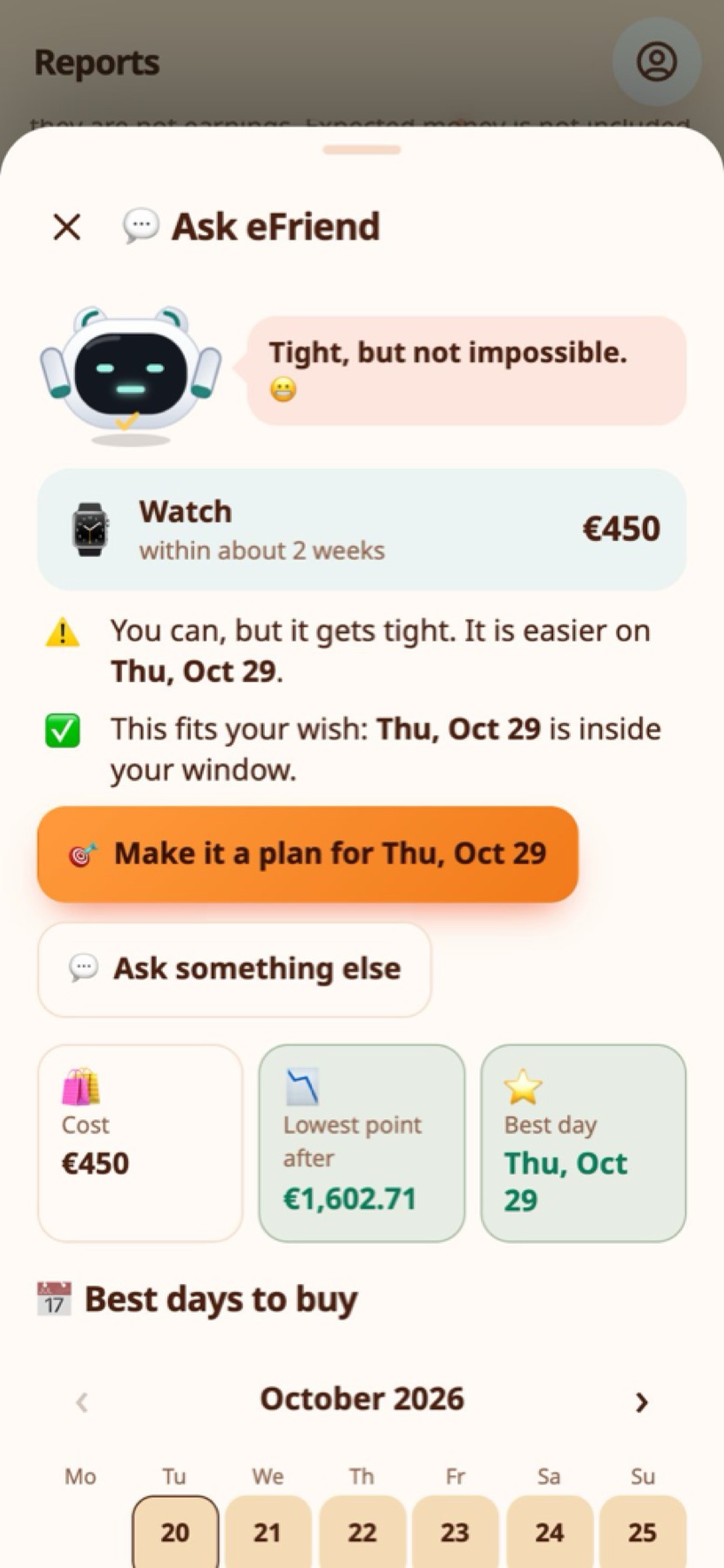
- ✅ Today's answer: can you buy it today, and how low would your money go afterwards?
- 🎯 Make it a plan sits at the top, already filled in with the item, the price and the best date.
- ⭐ The best day: the earliest day that fits, inside the time you asked for when possible. If nothing fits your timing, eFriend says so and shows the earliest safe day.
- 🗓️ If no safe day exists in the next 4 months, eFriend shows no date. It explains why, for example that you spend more than you earn, and how much you would need to set aside.
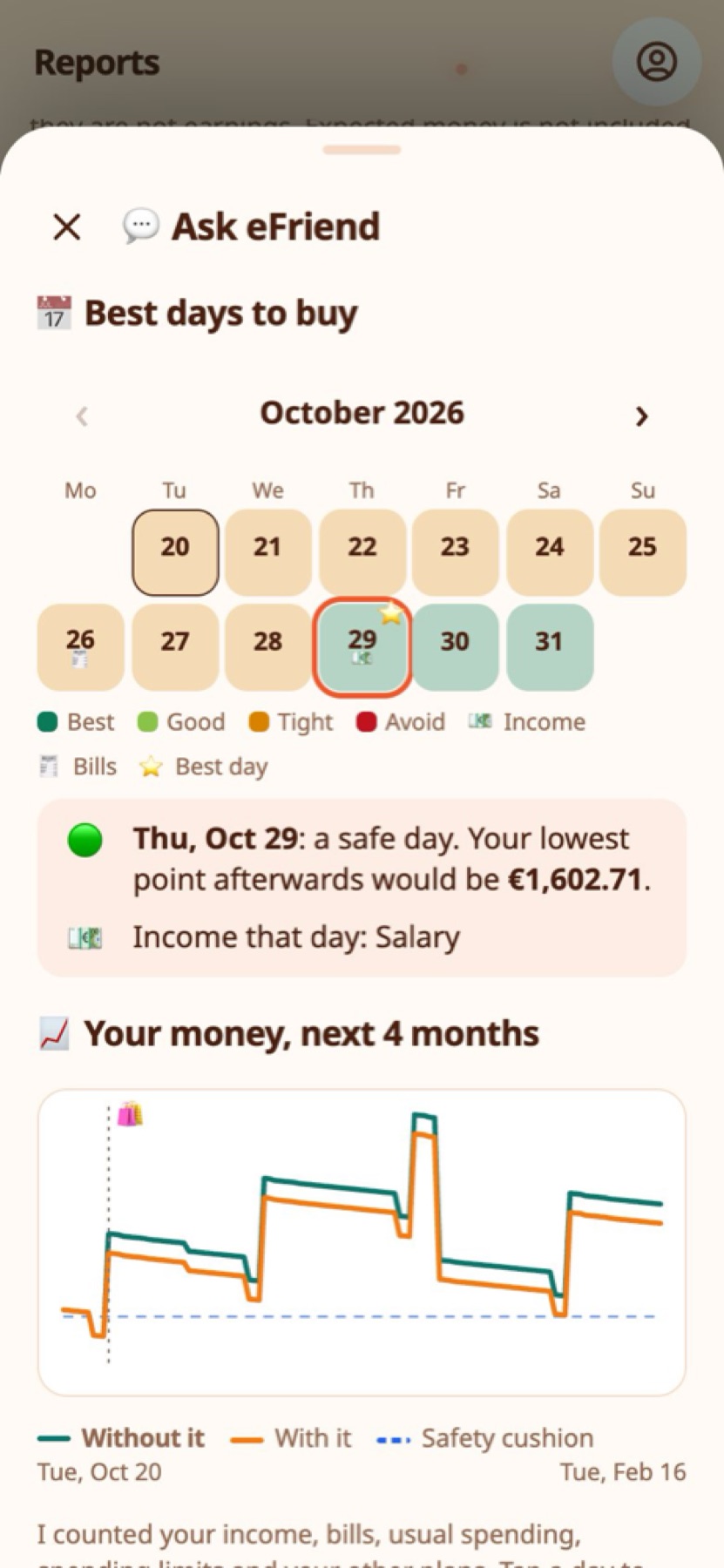
The calendar shows one month at a time, opened on the best day. Use the ‹ › arrows to go to earlier or later months. Days are coloured by how safe they are: Best, Good, Tight or Avoid. 💶 marks a payday and 🧾 a bill. Tap a day to see why it got its colour, and the plan button follows the day you pick.
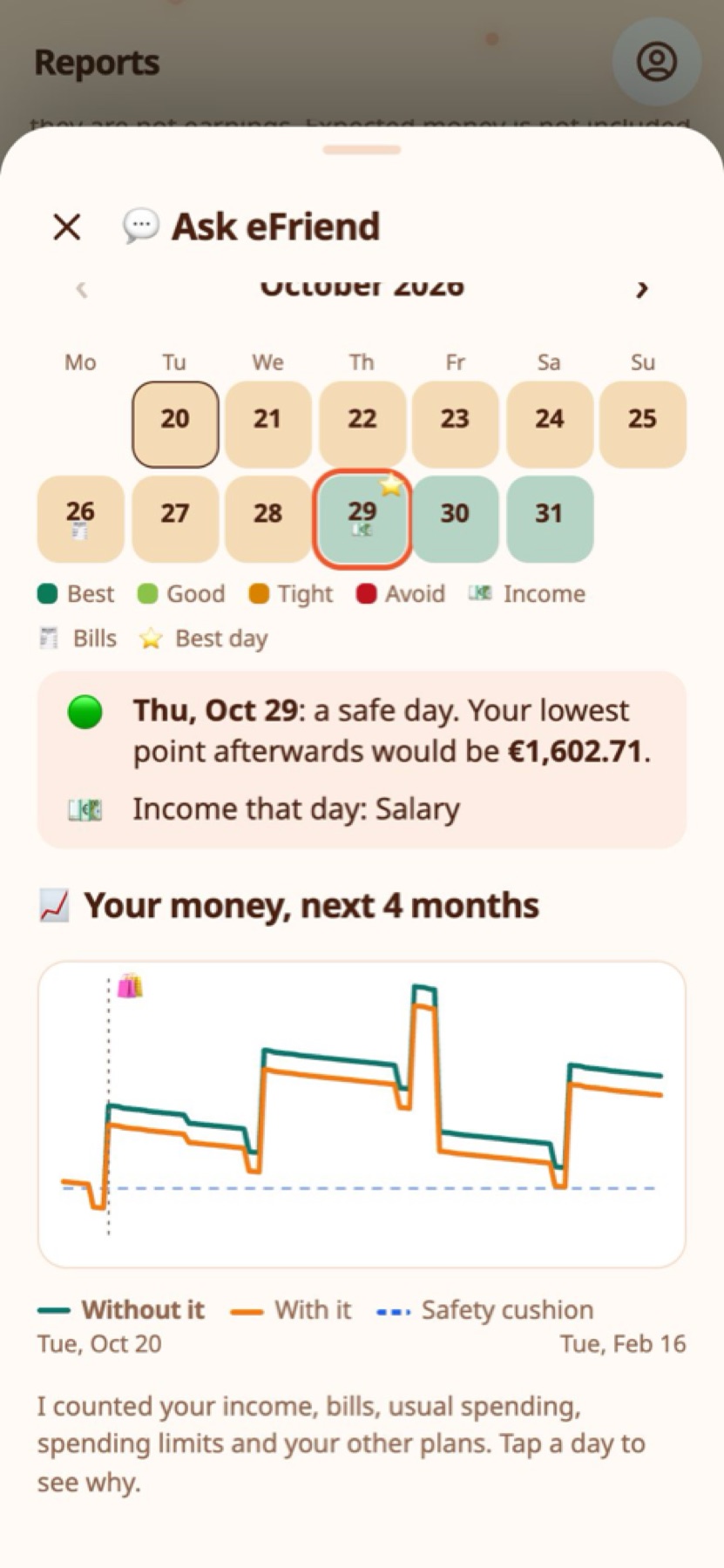
The graph shows your estimated balance, day by day, with and without the purchase, and your safety cushion as a dotted line.
Real-life example
Danae types "laptop 900", then taps In 2 weeks. eFriend says today is tight, but the 29th, a few days after payday, is safe. She taps Make it a plan for 29 Oct.
Start over and past chats#
- 🧹 Start over (the broom at the top) wipes the chat and eFriend makes a joke about it.
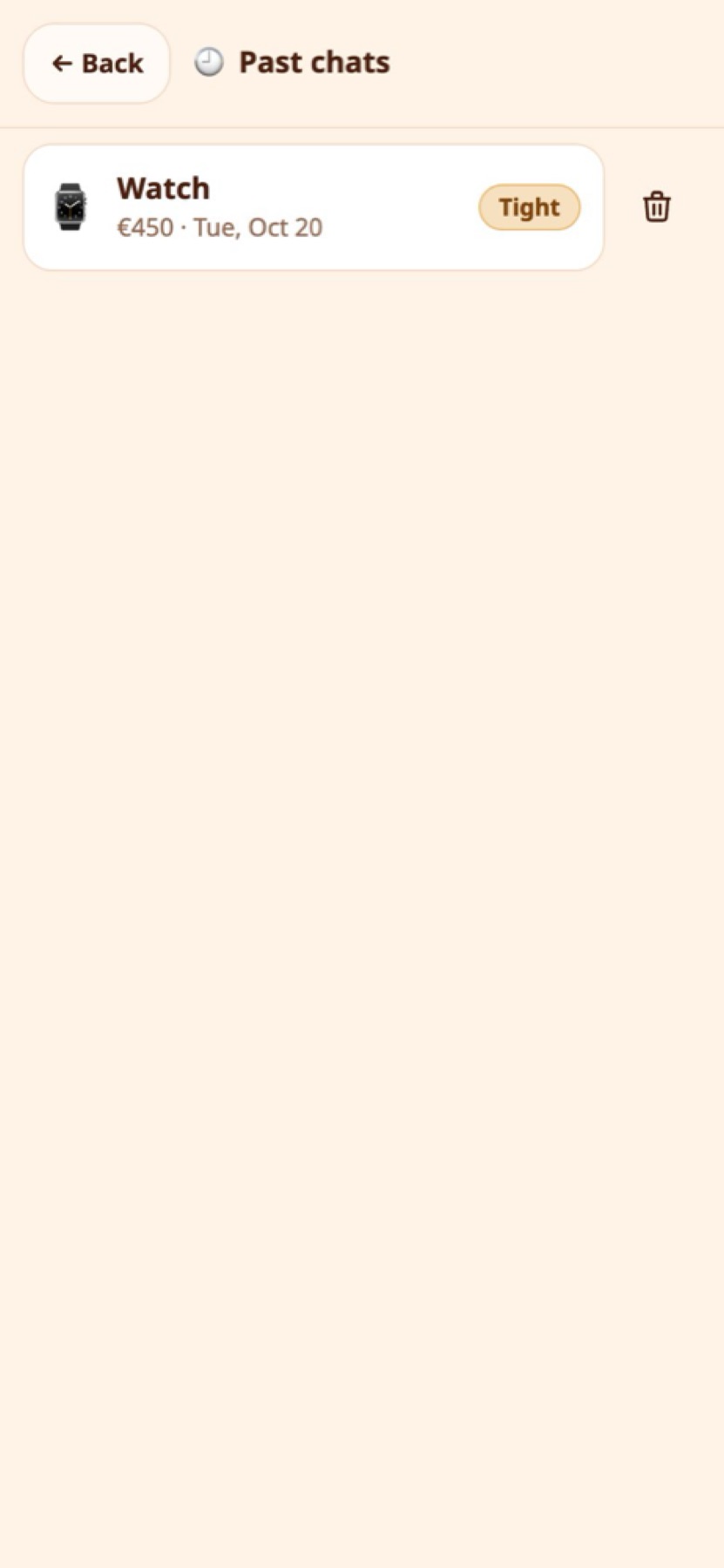
- 🕘 Past chats keeps your last 30 chats, finished or not. Tap one to read it, then Ask again to check the same item with today's numbers, or delete it with the bin.
It knows your name#
If you gave Expenity your name, eFriend uses your first name in its jokes, questions and answers on the chat and on Home. Without a name it simply talks to you directly.
The first time: a short tour#
The first time you open eFriend, a full-screen tour introduces it. It asks only for what it still needs:
- 💶 Income: when your money arrives (skipped if you already added it).
- 📊 Spending limits: the most you are comfortable spending per day, week and month.
- ✈️ Wishes: things you want, as plans.
- 🧾 Budgets, 🏆 priorities and 🔁 how eFriend may move money.
You can skip it and come back any time from the eFriend page.
Spending limits that fill themselves in#
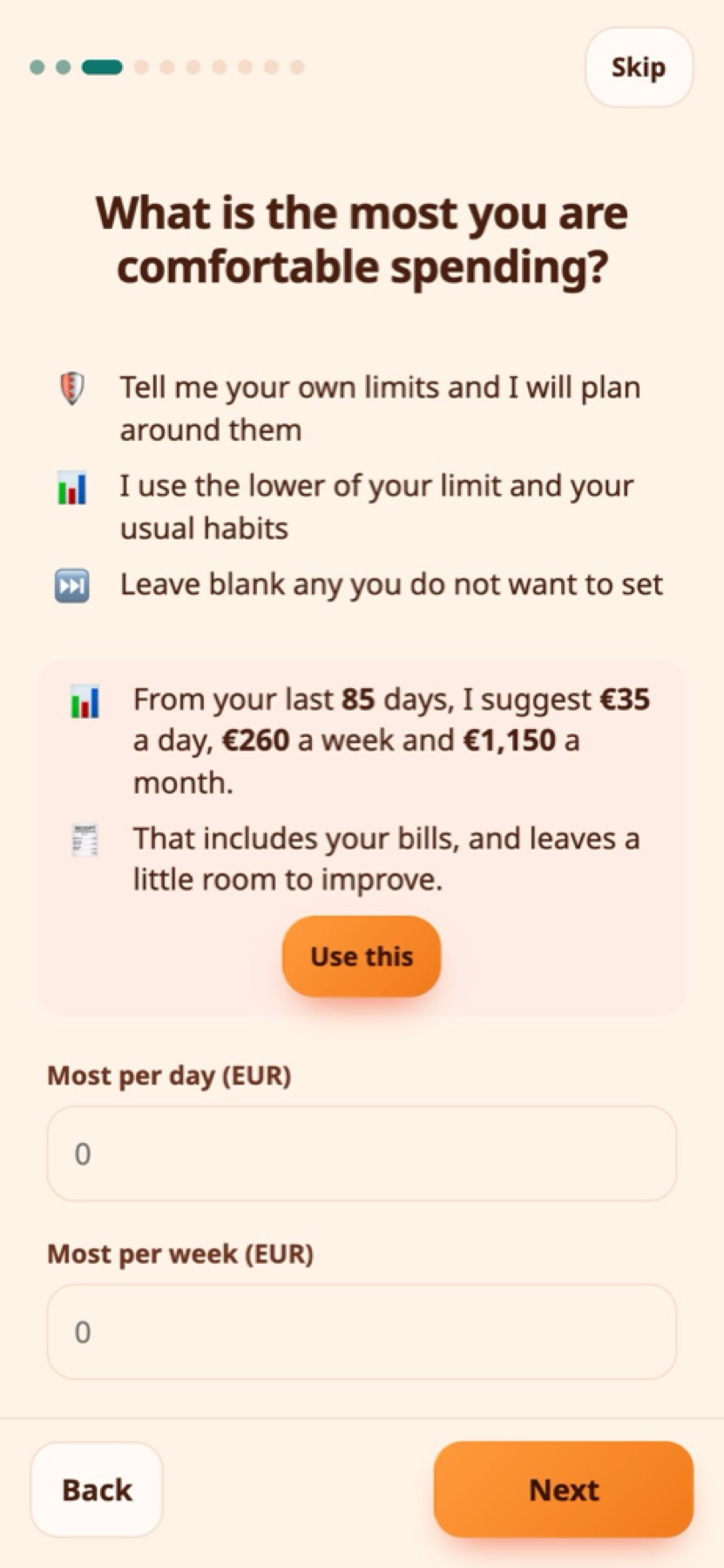
- 📈 With two weeks or more of history, eFriend suggests a day, week and month limit from your real spending, including bills, and a little below what you usually spend. Tap Use this.
- 🌱 With less history, type a limit in any one box and tap Use this to fill the other two from it.
- ✏️ You can always change the numbers yourself.
Plans and verdicts#
A plan is something you want to buy by a date. eFriend gives each plan one of five verdicts:
| Verdict | Meaning |
|---|---|
| Comfortable | It fits easily and leaves your safety cushion untouched. |
| On track | It fits. |
| Tight | It fits, but with little room. |
| At risk | It may not fit unless something changes. |
| Unlikely | It does not fit by that date. |
The verdict names stay in English in every language. If you spend more than you earn, eFriend says so plainly and looks at how long what is left would last, so a plan can no longer look comfortable on a salary that does not cover your spending.
Tap a plan for the full analysis:
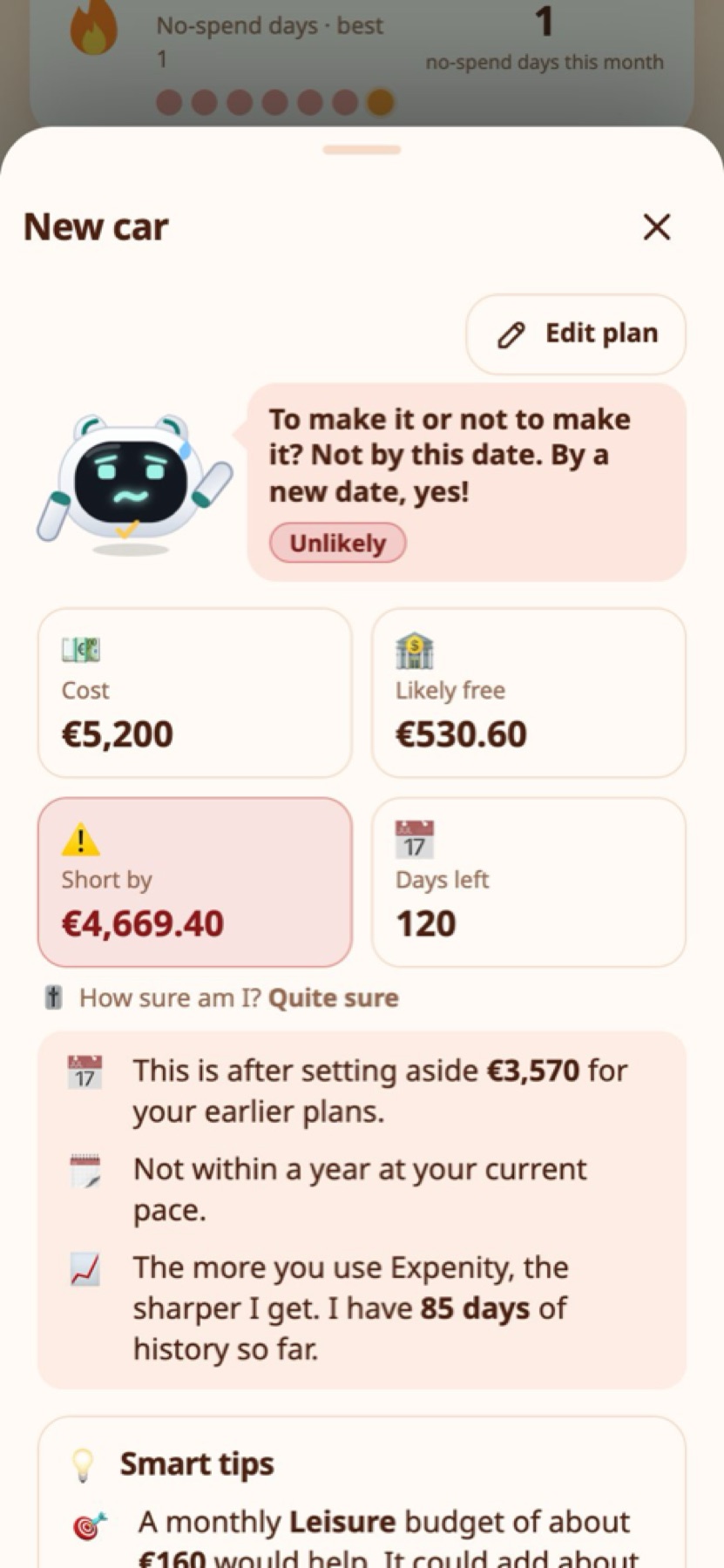
- 💰 how much you are expected to have free by the date
- 🛡️ how much is kept as your safety cushion
- 📅 the earliest safe date
- 💡 smart tips, for example a small monthly budget that would help
Priorities and the safety cushion#
When several plans compete for the same money, eFriend asks which matters most. Drag the plans into the order you want (on a phone, press and hold a row). Your order is always yours: eFriend never drops a plan by itself.
✨ Let eFriend suggest asks what it may change:
- 📋 Only the order of your plans, cheapest first.
- 🛡️ The order and the safety cushion, for the best outcome. eFriend tries several cushions and keeps the biggest one that still lets as many plans as possible work.
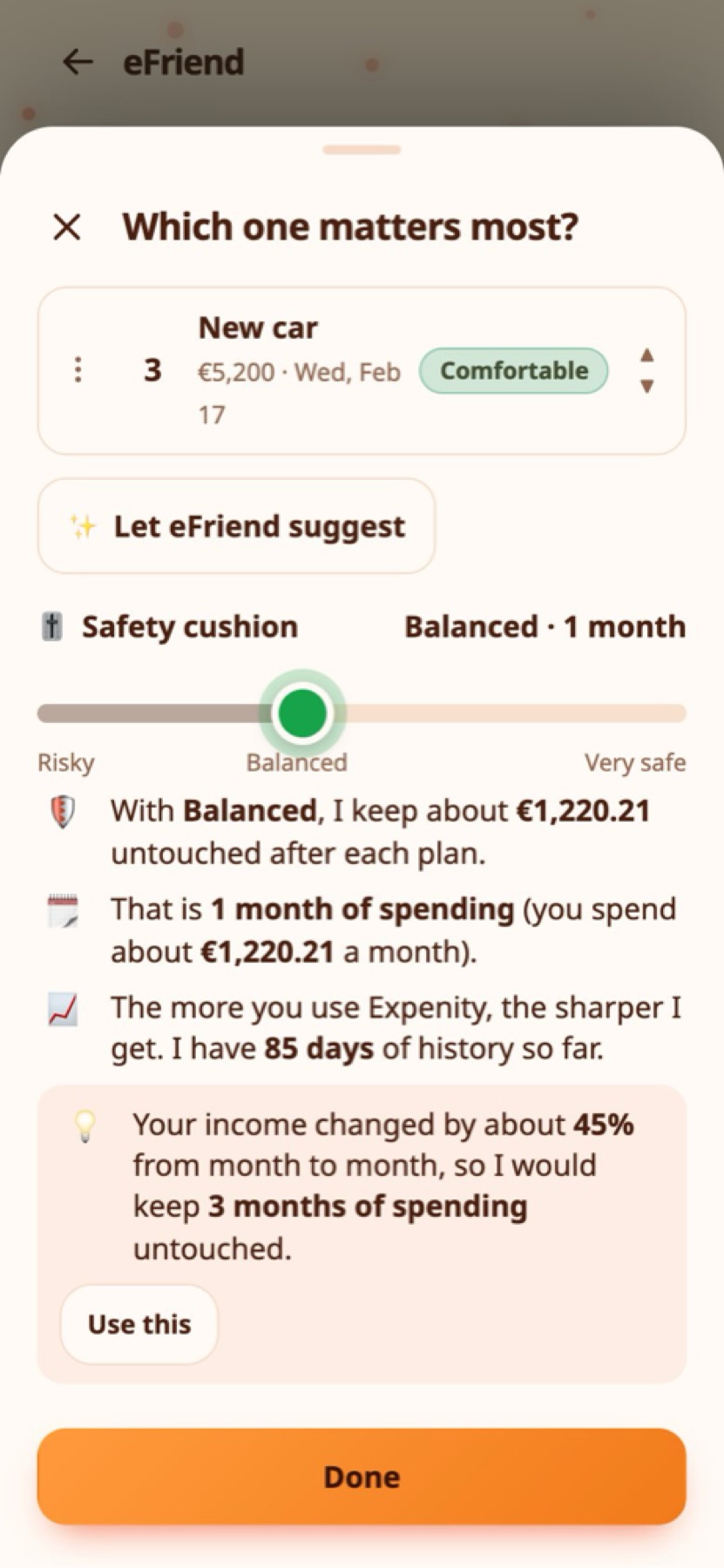
The safety cushion is how many months of your usual spending should still be left after a plan. If your income changes a lot from month to month (with about two months of history), eFriend suggests a bigger cushion and shows why.
Warnings that save you a surprise#
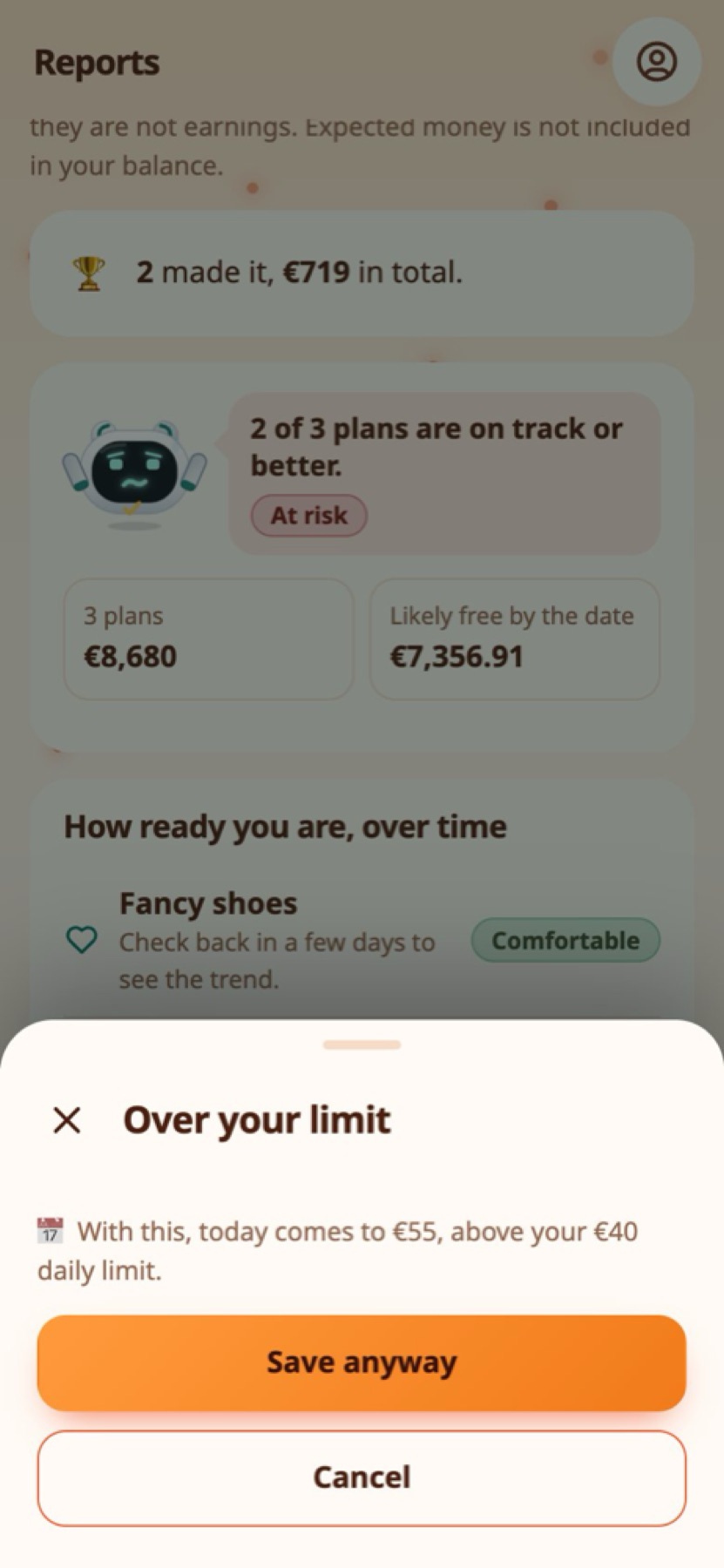
- ✋ Before you save an expense that would take you over your daily, weekly or monthly limit, eFriend asks first. Save anyway is always one tap away.
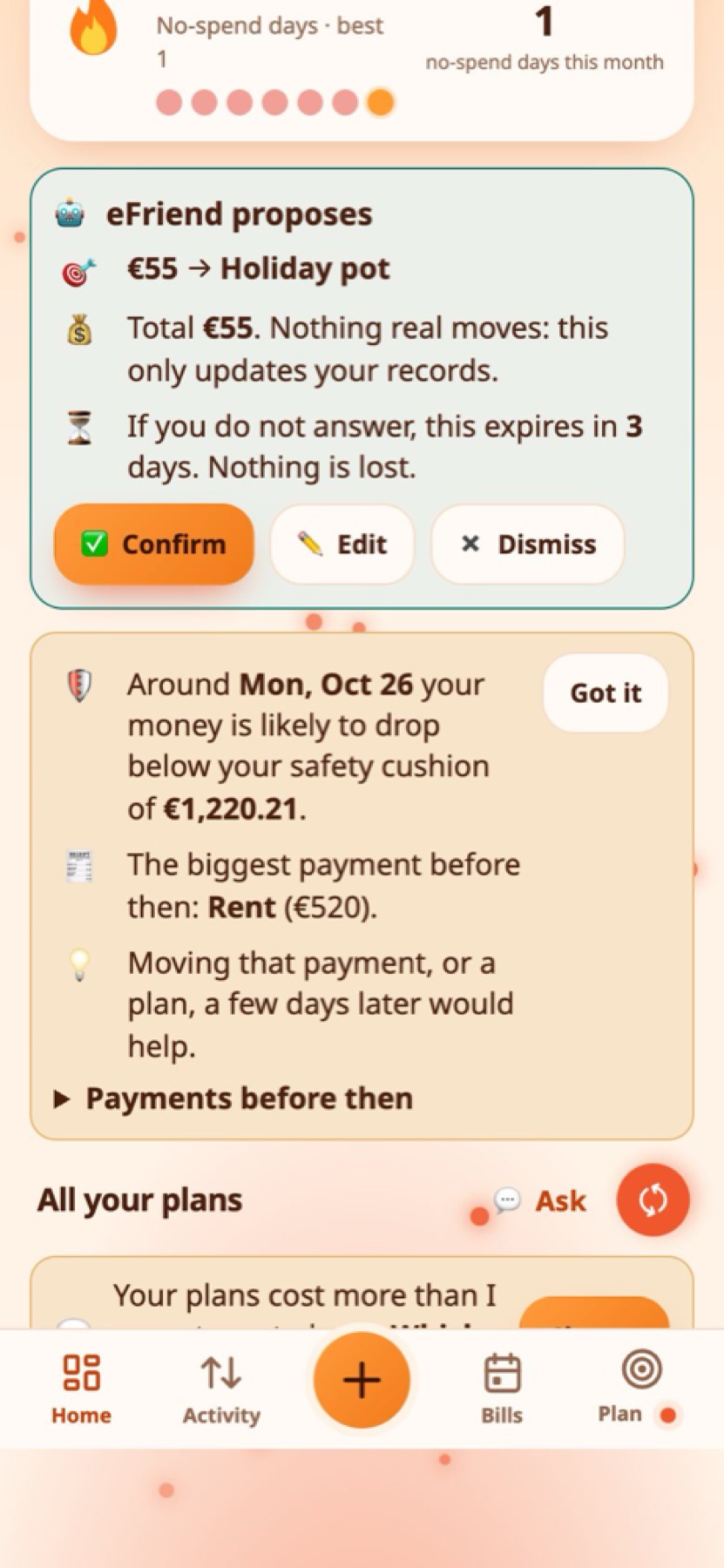
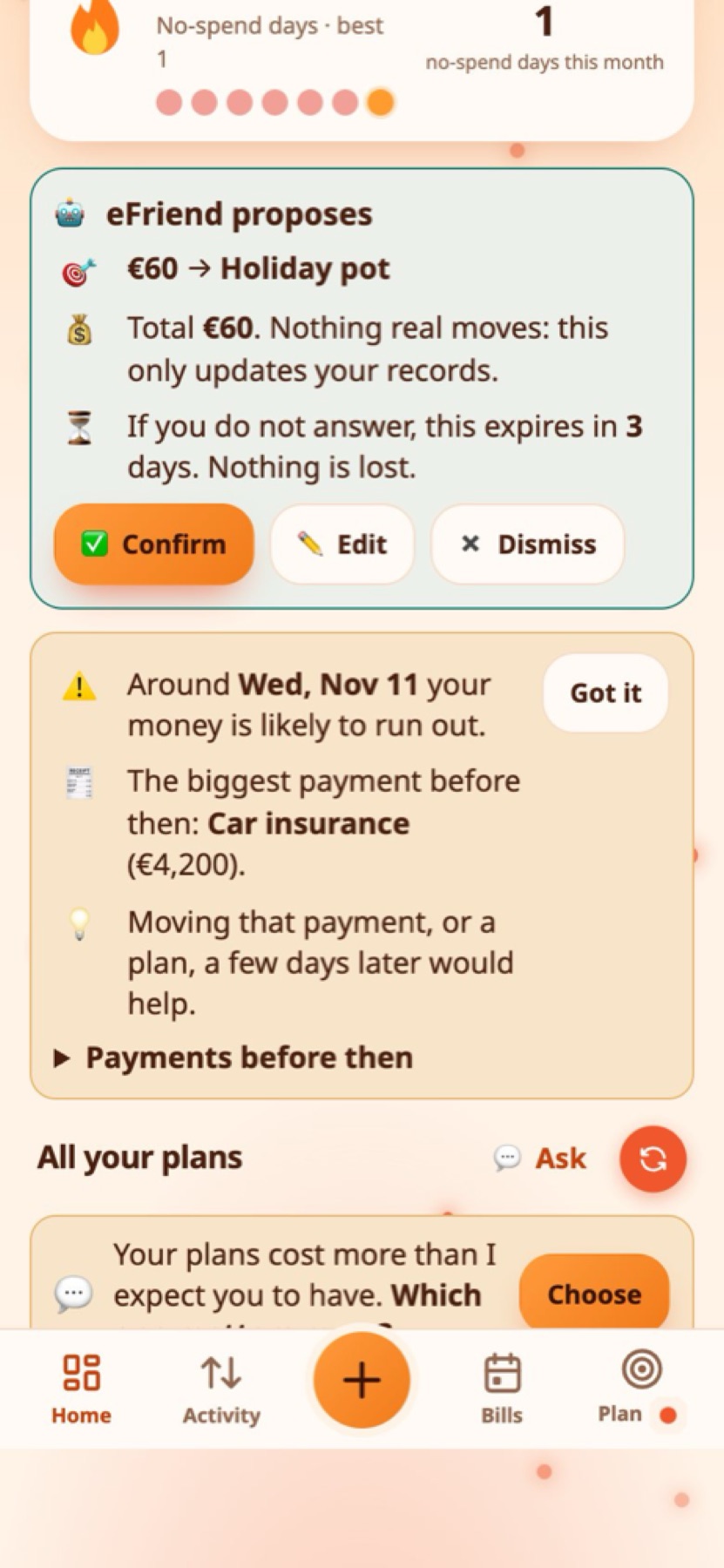
- ⚠️ On Home, if your money is likely to run out or drop below your cushion in the next two months, eFriend tells you the day and the payment behind it, and suggests moving that payment or a plan a few days later.
Budget ideas#
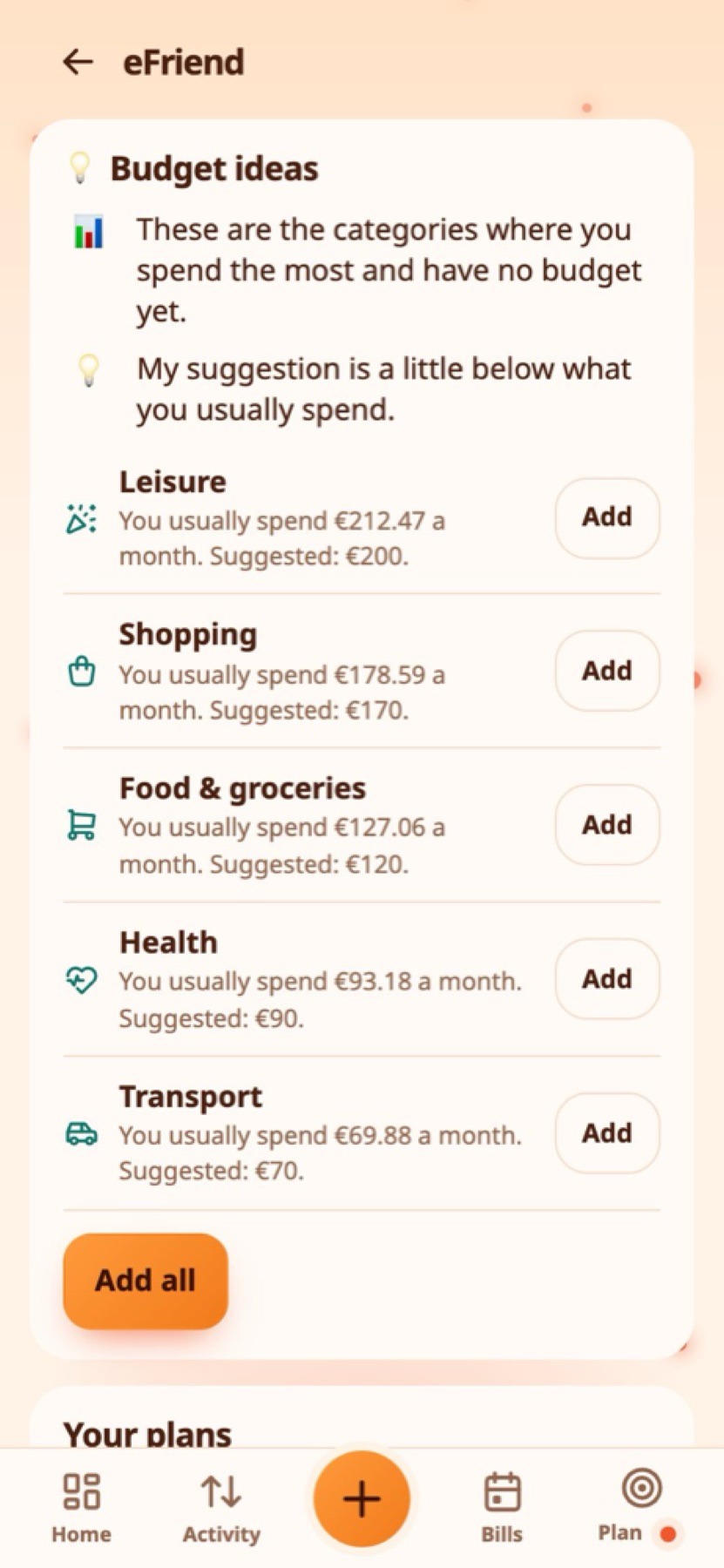
After about six weeks of history, the eFriend page suggests budgets for the categories where you spend most and have no budget yet, a little below what you usually spend. Tap Add for one, or Add all.
Helping with your goals#
If you keep savings goals, eFriend can help fund them. Choose a mode in the eFriend page:
- 💡 Suggest: it shows what is safe to move.
- 🙋 Ask first: it proposes, and an unanswered proposal expires after 3 days.
- 🤖 Automatic: it records the moves for you. With less than about a month of history, it warns you first.
No real money moves in any mode. It is a tracking system that updates your records.
Reports#
Reports → eFriend shows how ready you were for each plan over time, with a mark every time you changed something and how it moved the line.
Questions#
Does eFriend give financial advice? No. It is a helper that does arithmetic on your own entries. It cannot see your bank, and its answers are only as good as the information in Expenity.
Why did it not suggest a date? Because no day in the next 4 months keeps your money safe. Open the explanation: it tells you why and what would help.
Can I turn it off? Yes, in More → Make it yours → Features. Your data stays.
Still stuck? Check the FAQ, or ask on GitHub.